Posts labeled “ExtendScript”
-
Google Docs to InDesign: Place Text on Specific Pages with a Script
A question on r/indesign described an existing 160-page InDesign document with five page templates in an irregular order. The author wanted to place the headline and body text for each page from a Google Doc instead of copying and pasting…
-
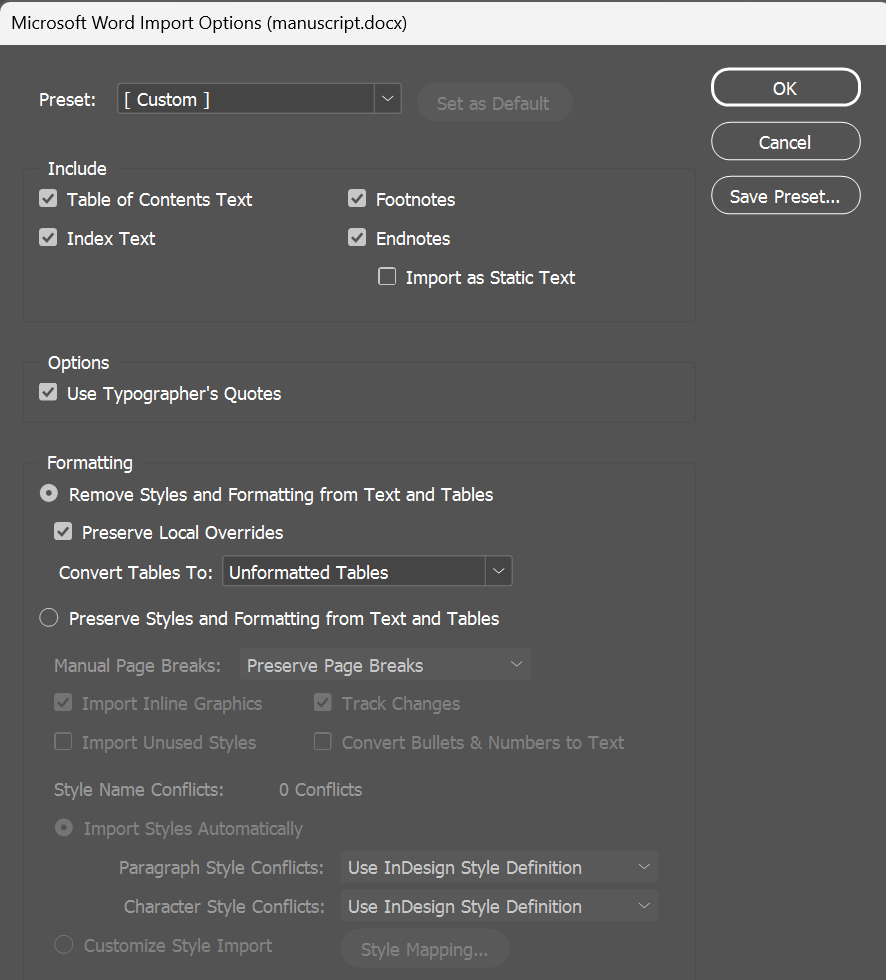
Word Fonts and Languages That Survive "Remove Styles and Formatting" in InDesign
You place a Word manuscript with Remove Styles and Formatting from Text and Tables checked, and Preserve Local Overrides checked so the author's italics and bold come through. You apply your paragraph style. Most paragraphs follow it, but some keep…
-
How to Restore Missing Word Index Entries in an Edited InDesign Document
You placed a Word file in InDesign, edited the layout for a while, and then noticed the Index panel is empty. The Word file has index entries. If you place the file again with Preserve Styles and Formatting, they come…
-
Why InDesign Asks for a Replacement When You Delete an Unused Paragraph Style
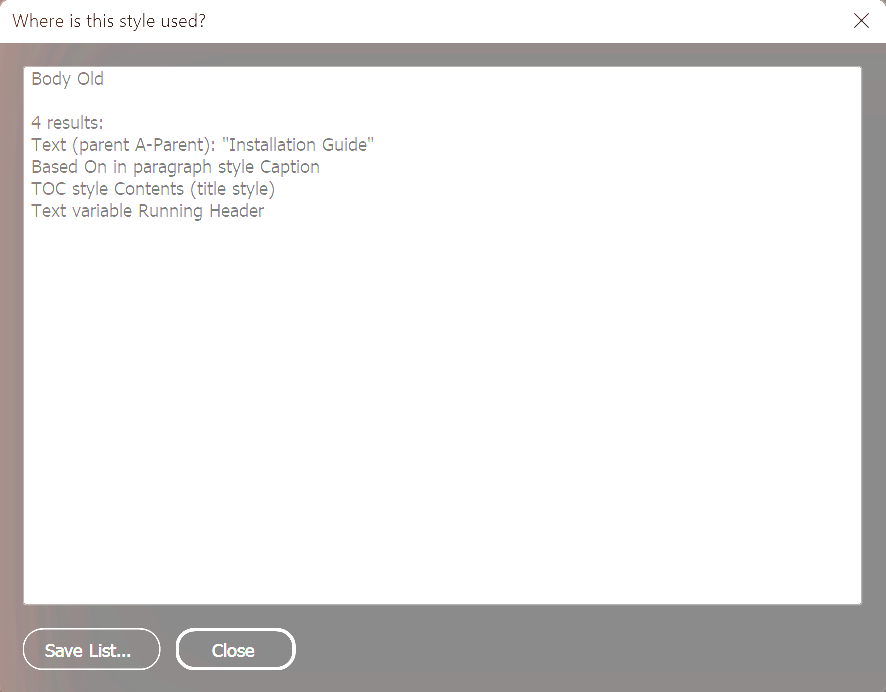
You try to delete a paragraph style you stopped using, and InDesign asks which style to replace it with. Find/Change finds no text with that style. I confirmed that a Based On reference can cause this: if another paragraph style…
-
Your Second InDesign Script: Condensing Text Until It Fits
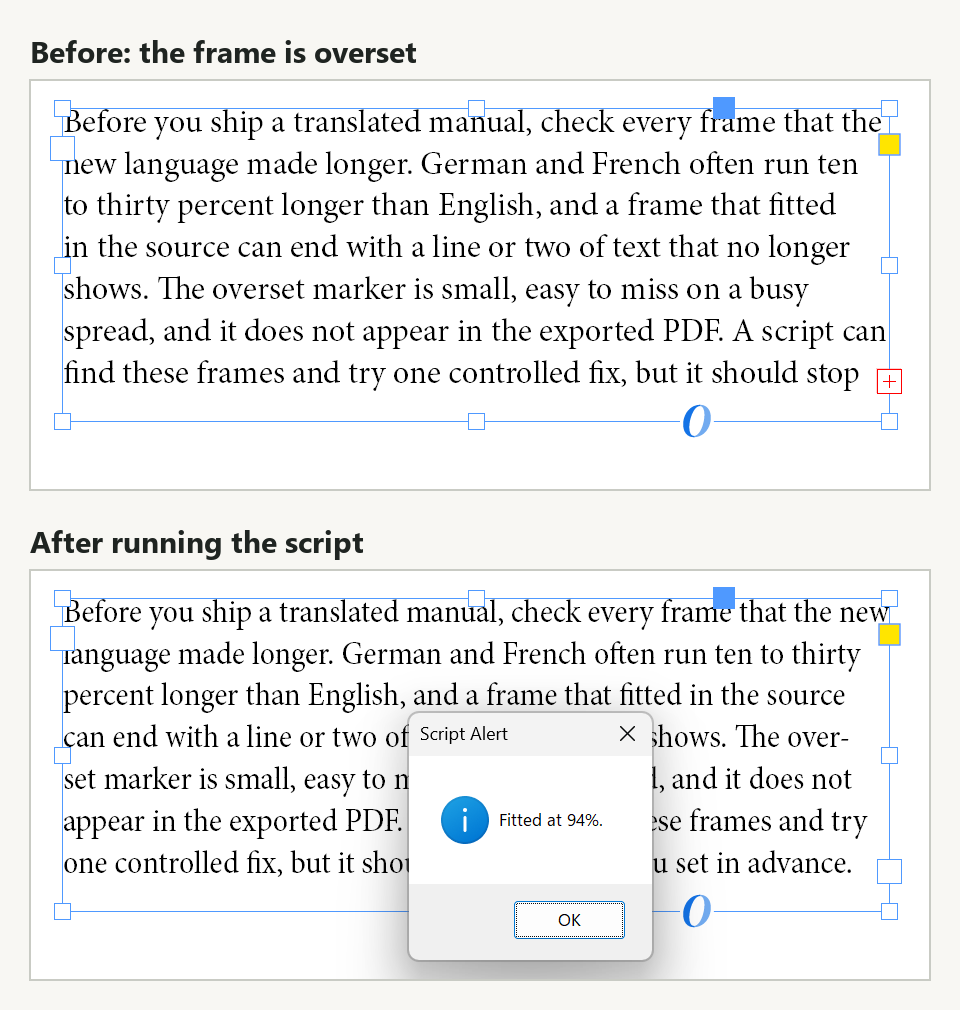
Part 1 reported which pages contained overset text without changing the document. This post changes it: the script below lowers the horizontal scale of the selected frame's entire story, one percentage point at a time, until the overset clears or…
-
Your First InDesign Script: Which Pages Have Overset Text?
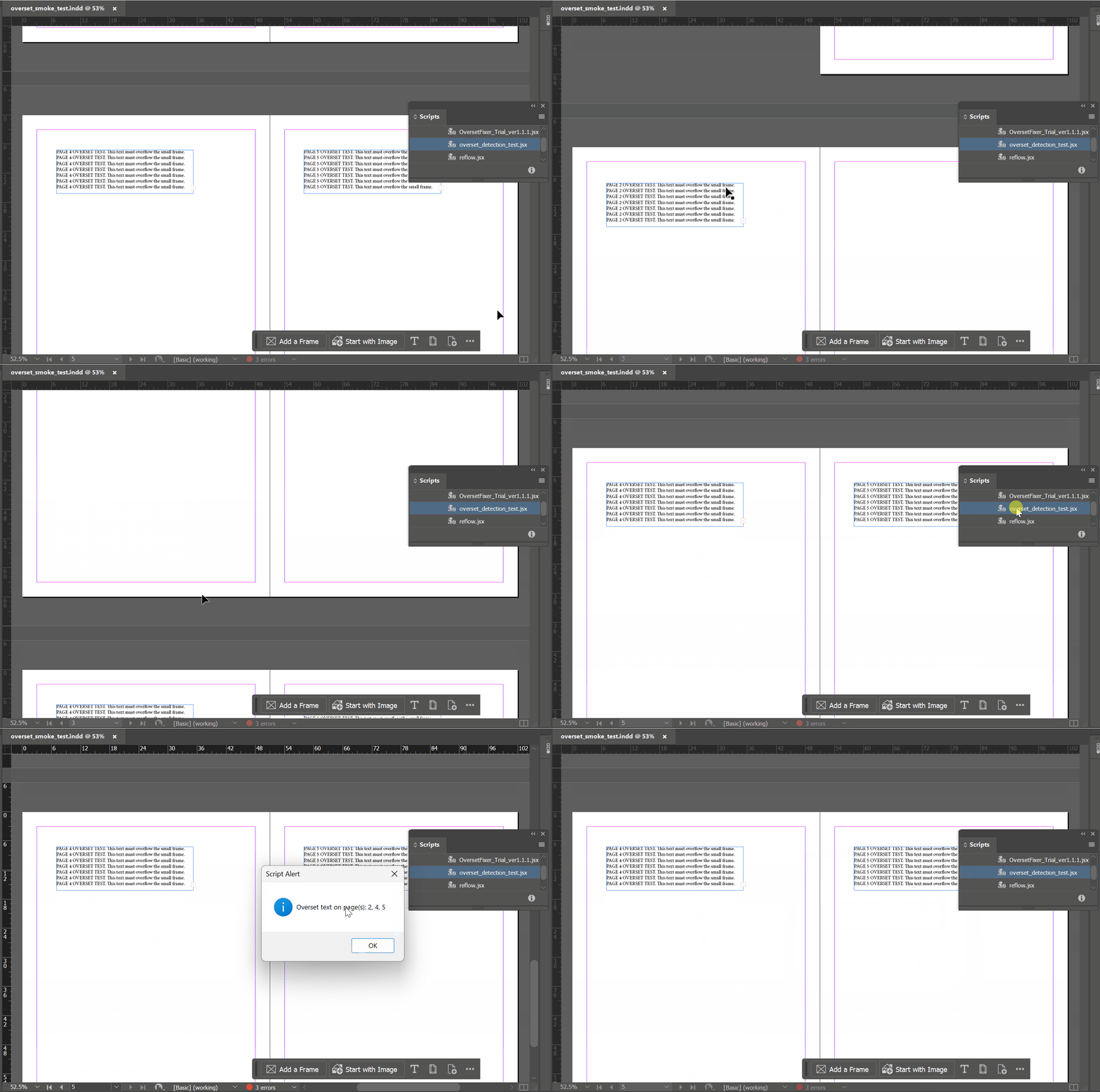
Most InDesign scripting tutorials open with a finished script. This one opens a step earlier: with the smallest useful thing a script can do, and with the decision of what to leave out of it. The goal is one dialog…