January 2026
-
Scaling Multilingual DTP – Maintenance / Recovery: When and How to Clean Up InDesign Files with IDML
0. Why This Article Exists Recovery as Part of Scaling The Scaling Multilingual DTP series has covered the parts that are easier to systematize: pre-export for translation (IDML export from books) automation before/after translation (style reloads, relinking) final QA (PDF…
-
Scaling Multilingual DTP by Creating an Escape Hatch for Layout Adjustment (Shrinking All Placed Images at Once)
0. Context: Why Layout Adjustment Stops Scaling After Translation In multilingual publishing, text expansion after translation is expected. The real problem is not that layouts need adjustment, but that the adjustment work does not scale . Line spacing and paragraph…
-
How to Run JavaScript in Adobe InDesign (Without Learning JavaScript First)
0. Who This Article Is For This article is for InDesign users who don’t want to “learn JavaScript” — they just want to make InDesign do the work. You may have seen scripts, automation examples, or .jsx files before, but…
-
Scaling Multilingual DTP by Automating Mandatory Text Checks in PDFs Before Delivery
In multilingual documentation workflows, the final deliverable is often a PDF. Even when layout, links, and styles are correct, a document can still fail for a very simple reason: a required text string is missing. Typical examples include: Safety headings…
-
Scaling Multilingual DTP by Automating Language-Based Image Relinking in InDesign
When working on multilingual documents, it’s common for placed images to exist in language-specific variants. A typical pattern looks like this: diagram_EN.ai diagram_DE.ai Before or after translation, these images must be relinked to the correct language version. Doing this manually…
-
Scaling Multilingual DTP by Automating Style Reloads Before Translation
Why styles must be reloaded before or after translation In multilingual publishing, layout problems are not caused by text expansion alone. When translating from English into Asian languages, fonts and typographic rules are completely different. Even when translating into languages…
-
Scaling Multilingual DTP by Automating Trados-Ready IDML Export from InDesign Books
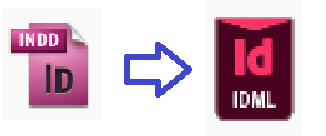
Why IDML is required before translation If you work with Trados, you already know this: InDesign .indd files cannot be processed directly. They must be converted to .idml first. For a single document, that’s trivial. Press Ctrl+E , choose IDML…
-
Scaling Multilingual DTP by Eliminating Manual InDesign Text Overset Fixes
Update: Overset Fixer Pro is now available on aescripts. Now supports installation via aescripts Manager. Are you struggling with text overset after translation? If you work in multilingual publishing, you’ve probably run into this problem more times than you can…