Scaling Multilingual DTP by Automating Style Reloads Before Translation
Updated February 16, 2026
Why styles must be reloaded before or after translation
In multilingual publishing, layout problems are not caused by text expansion alone.
When translating from English into Asian languages, fonts and typographic rules are completely different. Even when translating into languages like German, longer words and different kerning requirements can quickly push text out of its original layout.
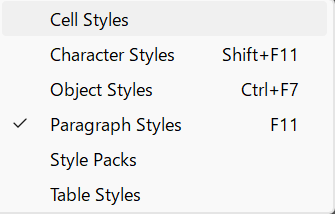
For this reason, in real production work, paragraph and character styles are usually reloaded either before or after translation.
-
Font families
-
Tracking and kerning
-
Line spacing
-
Paragraph spacing
This reduces the amount of layout correction needed after translation.
What does not work is changing fonts, kerning, or spacing manually for every file. That approach simply does not scale.
Why this breaks down in multilingual projects
Even with language-specific styles, serious problems appear when projects grow.
In an InDesign Book, every .indd file must have the correct style set loaded. If a book contains 20 files, that is 20 separate imports.
Worse, mistakes are easy to make and hard to detect.
If you accidentally load Dutch styles instead of German styles, the document may still look “mostly okay” at a glance. The error might only be discovered much later—sometimes after translation or even at delivery.
This is what makes manual style management dangerous at scale:
-
The work is repetitive
-
The differences are subtle
-
The cost of mistakes is high
The automation approach
The solution is to remove choice and memory from the process.
Instead of letting operators manually pick style files, you place language-specific template files in fixed locations. A script then loads the correct styles into every open document, automatically and consistently.
The goal is simple:
every document enters translation with the correct, normalized style set.
A minimal script example
Below is a simplified version of the script I use in production.
You only need to adjust the file path for your own environment.
License: MIT.
This script reloads all major style categories—paragraph, character, table, object, stroke, and TOC styles—using a single template file.
The key point is not the code itself, but the idea:
style normalization should be automatic, not manual.
What this looks like in real production
In practice, I run this as part of a larger automation package that also handles things like:
- Exporting IDMLs
- Updating linked artwork
- Reloading master pages
- Normalizing document settings before translation
Scaling Multilingual DTP by Eliminating Manual InDesign Text Overset Fixes