High Instability in Multilingual DTP
Introduction
In multilingual DTP, some problems are not difficult — but they are dangerous.
Imagine this:
You have just finished updating a document in 20 languages.
All corrections are complete. All verification checks are done.
The project is ready for delivery.
Then a request comes in:
“This one line is no longer needed. Please remove it.”
For the client, this is a small change.
For you, it is not.
- If the layout relies on reflow, a single line change can break the entire layout
- Every page in the document may need to be reviewed
- And this must be repeated across all languages
This is not an edge case.
It is a structural property of document production.
What Is “Instability” in Multilingual DTP?
Small changes can produce disproportionate layout shifts.
Instability in multilingual DTP means that:
- a small input change
- produces a large and often unpredictable output change
A single line can trigger:
- text reflow
- frame resizing
- page shifts
- cascading layout changes
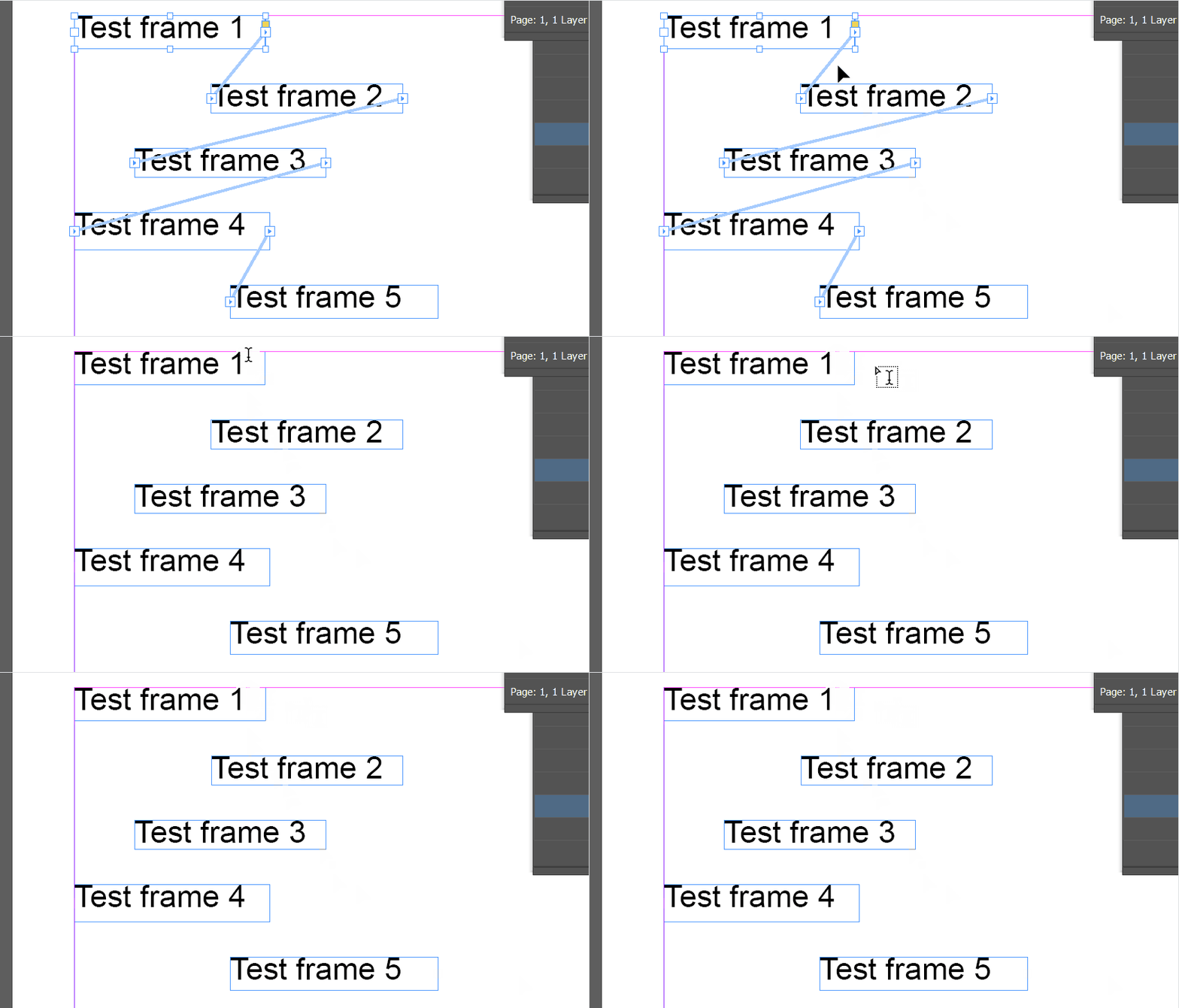
And this effect becomes stronger in multilingual production, where:
- text expansion varies by language
- line breaks behave differently
- layout density changes across versions
Why Does This Happen?
Layouts are not static — they are interconnected systems.
InDesign layouts are not isolated elements.
They are connected through:
- text flow
- frame relationships
- page composition
A small change in one place can propagate through the system.
In multilingual workflows, this instability is amplified:
- different languages expand differently
- text breaks at different points
- layout balance shifts unpredictably
This is why even minor edits can require large-scale rechecking.
How Do You Deal With It?
Instability cannot be eliminated — only managed.
There is no single solution.
Instead, there are several strategies, each with trade-offs.
1. Make the Layout Static
The most straightforward approach is to remove flexibility.
- prevent automatic frame expansion
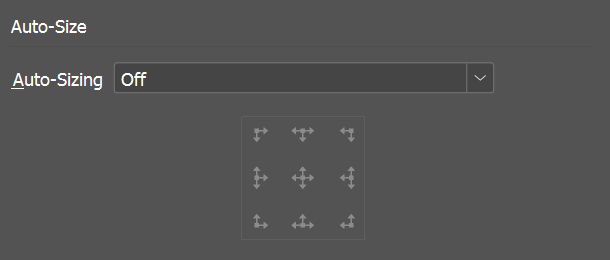
-
ensure each text frame is self-contained*
* You can split text frames using the sample script (Scripts panel > Application > Samples > Split Story) provided with InDesign.
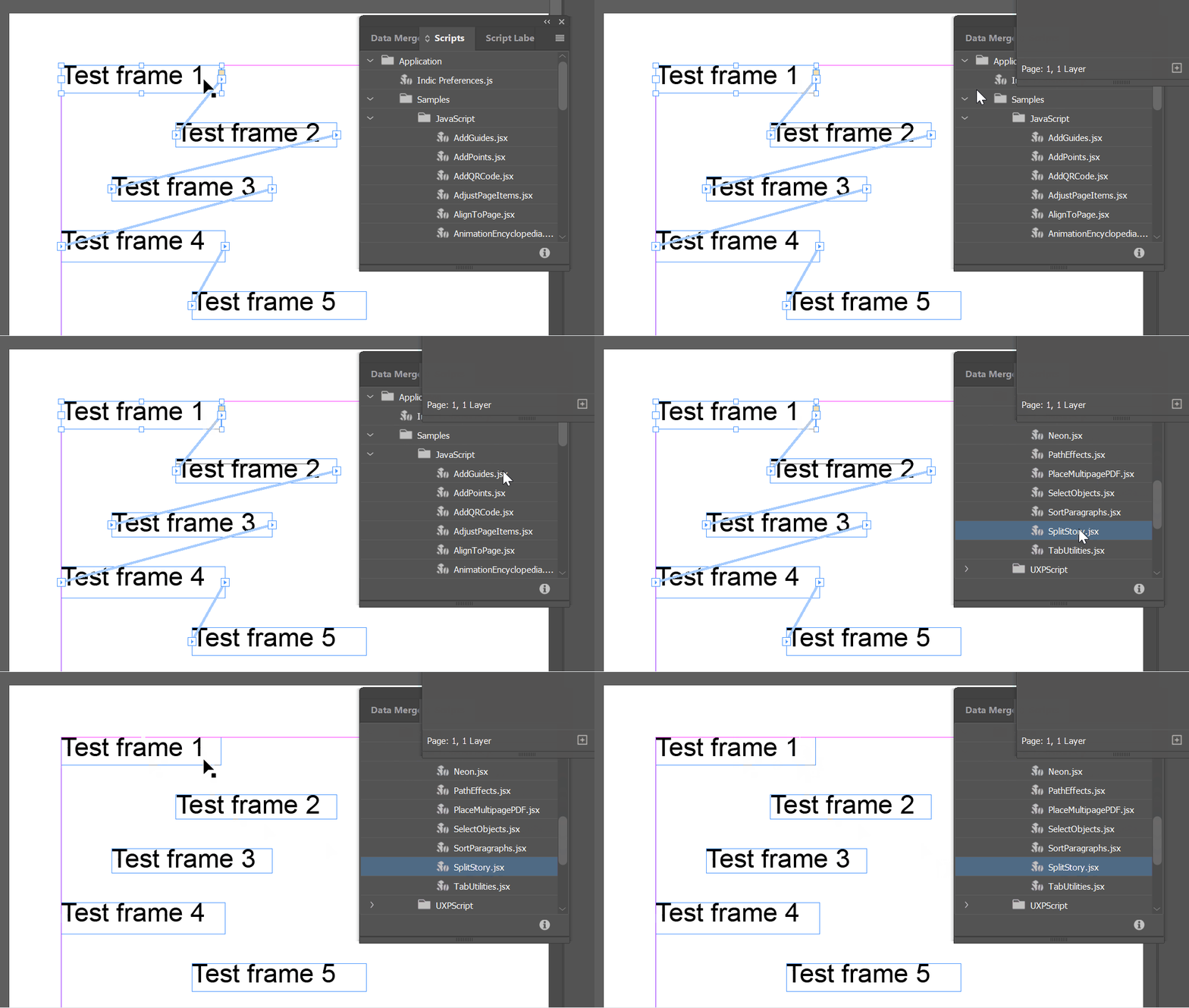
This limits the impact of changes:
- a line change stays within one frame
- layout shifts are localized
However:
- flexibility is reduced
- larger edits become harder to handle
- layout adjustments can become time-consuming
This approach is robust, but not efficient for everyday production.
It is also not always possible — for example, when working with files exported from a CCMS.
2. Introduce Flow Boundaries
Another approach is to limit how far changes can propagate.
This can be done by:
- splitting documents at logical sections
- inserting controlled page breaks (Type > Insert Break Character)
- leaving buffer space in layouts
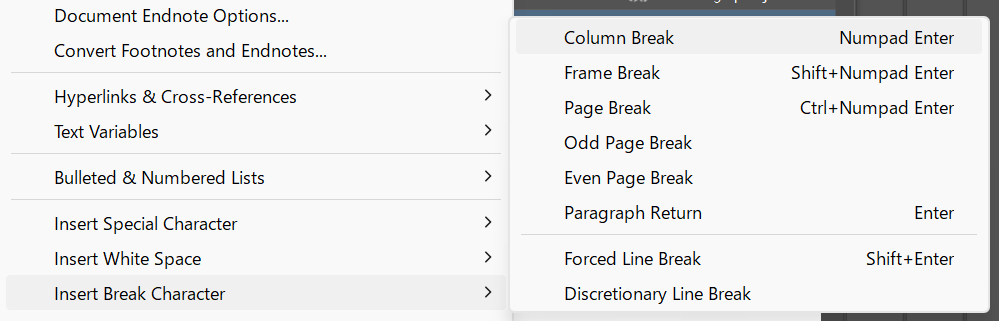
This helps contain instability:
- the affected area becomes smaller
- rechecking scope is reduced
However:
- too many splits increase management overhead
- page breaks only reduce impact — they do not eliminate it
- larger edits can still break layout beyond the boundary
This is a mitigation strategy, not a solution.
3. Design for Controlled Behavior
A more structural approach is to design layouts that behave more predictably.
This is done using paragraph style settings such as:
- Keep Options (Paragraph Styles panel > Keep Opetions > Keep Opetions > Keep with Previous, Keep Lines Together)
- Start Paragraph (e.g., On Next Page)
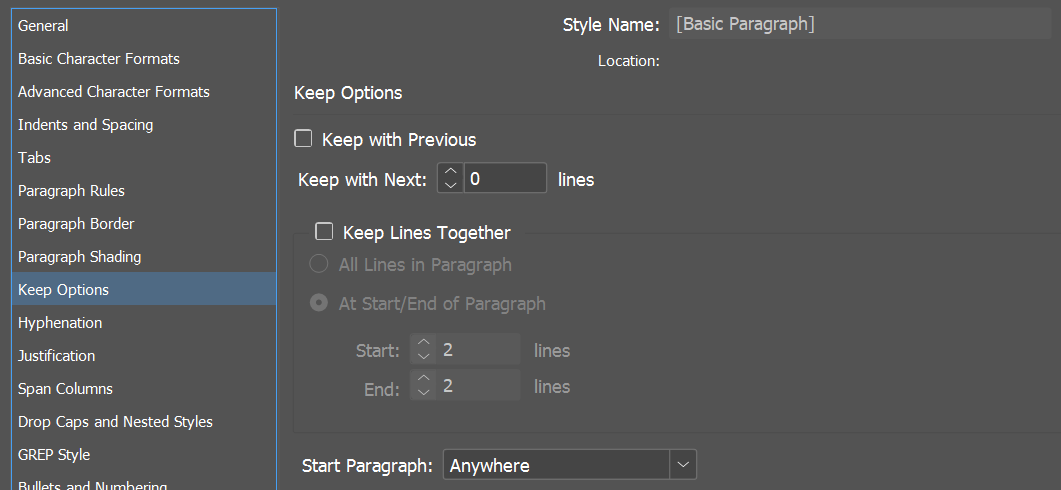
For example:
- forcing major headings to start on a new page
- keeping headings and their lead text together
These settings reduce undesirable layout behavior.
However:
- setup requires time and experience
- optimal settings vary depending on layout design
- there is no universal best configuration
Despite this, it is often the most balanced approach:
- flexible enough for real workflows
- stable enough to reduce cascading issues
If you want to reduce the impact of layout instability, one practical approach is to design your paragraph styles carefully and reapply them consistently across languages.
I’ve written about this approach here:
[Scaling Multilingual DTP by Automating Style Reloads Before Translation]
What These Strategies Have in Common
None of these eliminate instability.
They only change how you manage it.
- Static layouts reduce flexibility
- Flow boundaries limit propagation
- Design-based approaches shape behavior
But the underlying instability remains.
Conclusion
Instability is not a bug — it is a property of the system.
In multilingual DTP:
- layouts are interconnected
- languages behave differently
- small changes can cascade
This means instability cannot be avoided.
It must be anticipated and managed.
In the previous article, we discussed High Frequency — tasks that repeat.
In this article, we looked at High Instability — tasks where small changes produce large effects.
In the next article, we will explore the third factor:
Low Judgment — where automation becomes possible.